Computerbilities, Inc.

Category: Uncategorized

  • Local SEO Guide (2023) for Small & Medium Business

    Local SEO Guide (2023) for Small & Medium Business

    Local SEO Guide for Small & Medium Business.

    Local SEO is a hot topic for businesses of all sizes in North Carolina and the USA as more people search for local businesses online. Local SEO can help companies to improve their visibility in search results for local searches, such as “IT Support Raleigh” or “IT Consulting NYC“. 

    What is Local SEO?

    Local SEO is a type of search engine optimization (SEO) that focuses on improving a business’s visibility in local search results. Local search results are the ones that appear when someone searches for a product or service in a specific location. 

    Several factors can affect a business’s ranking in local search results, including the following: 

    Google My Business listing: This is a free listing that businesses can create to appear in Google search results. The listing should include the business’s name, address, phone number, website, and hours of operation. 

    Keywords: Businesses should use relevant keywords throughout their website and online content. Keywords will help Google understand what the business does and its location. 

    Citations: Citations are mentions of a business on other websites. They can help Google confirm the business’s location and verify its NAP (name, address, and phone number) information. 

    Businesses can improve their visibility and attract more customers by optimizing their website and online presence for local search. 

    Why is local SEO important for Small & Medium Businesses?

    Local SEO is vital for businesses of all sizes, but especially for small businesses that rely on local customers. Local SEO can help businesses improve their visibility in local search results, leading to more foot traffic and increased sales. 

    Businesses can improve their visibility and attract more customers by optimizing their website and online presence for local search. 

    Here are some additional reasons why local SEO is essential: 

    More and more people are using their smartphones to search for businesses. A recent study found that 62% of smartphone users use their phones to search for local businesses. 

    Google My Business listings are prominently displayed in local search results. The Google My Business listing is the first thing that appears in local search results, so it is important to ensure your listing is complete and accurate. 

    Positive reviews can help your business rank higher in local search results. Studies have shown that businesses with positive reviews rank higher in local search results than businesses with negative reviews. 

    Tips for improving your local SEO:

    Get customer reviews- Positive reviews can help your business rank higher in local search results. 

    Create local content. Write blog posts or articles about local events or businesses. Local content helps you establish yourself as a local expert and attract more attention from potential customers. 

    Optimize your website for mobile devices- More and more people are using their smartphones to search for businesses, so it’s essential to ensure you optimize your website for mobile devices.  

    Use relevant keywords throughout your website and online content- When writing content for your website, blog, or social media channels, be sure to use relevant keywords throughout your content. Keywords his will help Google understand what your business does and its location. 

    By following these tips, you can improve your local SEO and attract more customers to your business. 

    Local Business SEO Strategy 2023

    Here is a local business SEO strategy that you can follow:

    Claim and optimize your Google My Business listing- This is a free listing that businesses can create to appear in Google search results. The listing should include the business’s name, address, phone number, website, and hours of operation. You can add photos, videos, and reviews to your Google My Business listing. 

    Optimize your website for local search- This includes using relevant keywords throughout your website, creating local content, and getting citations from other websites. You should also make sure your website is mobile-friendly and loads quickly. 

    Get customer reviews- Positive reviews can help your business rank higher in local search results. You can encourage customers to leave reviews by asking them directly or offering incentives, such as discounts or free products or services. 

    Participate in local online directories- There are many local online directories that businesses can submit their information to. Local directories can help improve your business’s visibility in local search results. 

    Run local paid search ads- Local paid search ads can help your business appear at the top of the search results when someone searches for a product or service in your area. 

    Build relationships with other local businesses- This can help you get backlinks to your website, improving your local SEO. You can build relationships with other local businesses by attending industry events, networking online, or collaborating on marketing campaigns. 

    Stay up to date with local SEO trends- The landscape of local SEO is constantly changing, so it’s important to stay updated with the latest trends. To help you accomplish this, you should read industry blogs, attend conferences, or hire a local SEO expert. 

    Now you can improve your local SEO and attract more customers to your business or consult with our SEO expert in Raleigh, NC

  • IT help desk guide: Definition, features, and benefits

    IT help desk guide: Definition, features, and benefits

    What are IT help desk Services?

    IT Help Desk Services refer to the technical support services that assist users in addressing and resolving their IT-related issues. The services are provided in various forms, such as email, phone, chat, or in-person support. The primary objective of IT Help Desk Services is to ensure that users can efficiently use IT resources and applications to achieve their goals without any technical difficulties. The IT Help Desk team provides timely assistance and expertise to users who encounter problems with software, hardware, network, or any technology-related issues. In addition, these services play a critical role in maintaining business continuity and productivity by minimizing downtime and preventing losses resulting from system failures.

    Why do you need IT help desk services?

    However, businesses and organizations require IT help desk services to provide technical support and assistance to their employees and customers. IT help desk services ensure that employees can access the necessary tools and technology to perform their duties effectively. They also assist customers with technical problems related to products or services offered by the company. IT help desks provide a single point of contact for users to report and resolve technical issues, reducing downtime and improving productivity. They also provide important insights into emerging technology trends and user needs, which can help organizations make informed decisions about their technology infrastructure and investments.

    How does an IT help desk work?

    An IT help desk is a service that provides technical assistance to computer users who are facing issues with their hardware or software systems. Here are the basic steps:

    1. A user reports an issue: The user contacts the help desk through phone, email, or chat and reports the problem.

    2. Ticket creation: The help desk agent creates a ticket that contains all the necessary information about the issue.

    3. Ticket assignment: The ticket is assigned to a qualified technician with expertise in resolving the specific problem.

    4. Diagnosis and resolution: The technician then begins the diagnosis process by asking questions and performing tests to determine the root cause of the issue. Once the problem is identified, the technician creates a plan to resolve it efficiently.

    5. Communication: Throughout the process, the technician communicates with the user, providing status updates and asking for clarifications if needed.

    6. Resolution confirmation: Once the technician resolves the problem, the technician confirms the resolution with the user and closes the ticket.

    7. Follow-up: In some cases, the technician may follow up with the user to ensure that the issue does not reoccur.

    The IT help desk is a single point of contact for users to get swift assistance with their technology problems. The goal is to provide quick and effective solutions to minimize downtime and improve productivity.

    What is the difference between IT help desk and IT service desk?

    Here is the difference:

    The IT help desk mainly focuses on solving technical issues that end-users encounter while using their devices or software. The help desk aims to solve individual user issues and is often a reactive type of support.

    On the other hand, the IT service desk takes a more strategic approach to IT service management. It is a comprehensive platform for delivering services and support to end-users, providing centralized management of incidents, problems, and service requests. IT service desk also focuses on proactive maintenance, system administration, and planning for future needs.

    In summary, while both the help desk and service desk focus on resolving technical issues, the service desk takes a more holistic approach to IT service management. As a result, it supports the organization’s overall IT strategy.

    Where did IT service desks come from?

    IT service desks evolved as technology became more prevalent in businesses and organizations. In the early days of computers, individual users often managed their systems, but as networks began to grow, it became necessary for dedicated teams to provide support for technical issues. The first IT service desks emerged in the 1980s to centralize support and provide consistent service to end-users. Over time, service desks have evolved to include more advanced technologies like remote support tools and chatbots while maintaining the core mission of providing technical assistance and support to users.

    What are the benefits of IT helpdesk support?

    1. Increases Efficiency: With IT helpdesk support, you can significantly increase your organization’s efficiency by providing fast and effective solutions to employees’ technical problems.

    2. Reduced Downtime: Any IT issues can lead to critical downtime, but with helpdesk support, you can minimize downtime and keep your business running.

    3. Better Customer Service: IT helpdesk support can improve customer service by providing quick solutions to customers’ technical issues, which can keep them happy and satisfied.

    4. Cost-Effective: Helpdesk support can be more cost-effective than hiring a full-time IT staff, as they can provide services remotely.

    5. Expertise: Helpdesk support provides access to a team of qualified and experienced technicians who deeply understand IT issues and solutions.

    6. 24/7 Support: IT helpdesk support provides round-the-clock assistance, which ensures that your IT issues are resolved promptly without affecting your business operations.

    7. Improved Security: Helpdesk support can enhance your business’s cybersecurity by identifying potential threats and implementing security measures to mitigate risks.

    Best practices for IT help desk

    1. Establish clear communication channels: Ensure users know how to contact the help desk and the expected response time through multiple channels, such as phone, email, chat, or ticketing system.

    2. Create a knowledge base: Build a comprehensive database of common issues and their resolutions, along with FAQs and tutorials. The knowledge base can save time and effort for the end users and the help desk staff.

    3. Use a ticketing system: Implement a ticketing or tracking system to organize requests, assign priorities, and track progress. The ticketing system helps ensure that submissions don’t fall through the cracks.

    4. Prioritize and categorize requests: Establish a clear system for classifying and prioritizing user requests based on their urgency and impact on the business. This lets the help desk staff focus on the most critical issues.

    5. Standardize processes: Establish standardized procedures and workflows for handling different types of requests. This ensures consistency and reduces errors and confusion.

    6. Provide training and resources: Ensure the help desk staff is well-trained and equipped with the necessary resources, tools, and knowledge to handle various user issues.

    7. Monitor and measure performance: Regularly track and analyze help desk metrics, such as response time, resolution time, customer satisfaction, and ticket volume. This helps identify areas for improvement and measure the effectiveness of the help desk operations.

    8. Continuously improve: Review and refine processes, procedures, and training to optimize the help desk’s performance and increase user satisfaction.

    How to choose for a better IT helpdesk experience?

    Here are some tips to consider while choosing a better IT helpdesk experience:

    1. 24/7 Availability: Make sure the IT helpdesk service is available round the clock so you can seek assistance anytime you need it.

    2. Prompt Response Time: Choose an IT helpdesk that offers prompt response time, ideally less than 30 minutes, to resolve your issue quickly.

    3. Multi-Channel Support: Look for an IT helpdesk that offers support through various channels, such as email, phone, chat, or social media platforms, so that you can reach out using your preferred mode of communication.

    4. Knowledgeable Support Staff: Ensure the IT helpdesk has a team of experienced professionals who possess the skills and knowledge required to resolve your problem efficiently.

    5. Personalized Service: Choose an IT helpdesk willing to listen to your needs and offer personalized solutions tailored to your specific requirements.

    6. Proactive Support: Look for an IT helpdesk that provides proactive support by monitoring your systems and addressing potential issues before they escalate into major problems.

    7. User-Friendly Interface: Ensure the IT helpdesk has a user-friendly interface that allows you to log tickets and track their progress until resolution easily.

    By considering these factors, you can ensure a better IT helpdesk experience that meets your needs and exceeds your expectations.

  • What is mobile device management (MDM)?

    What is mobile device management (MDM)?

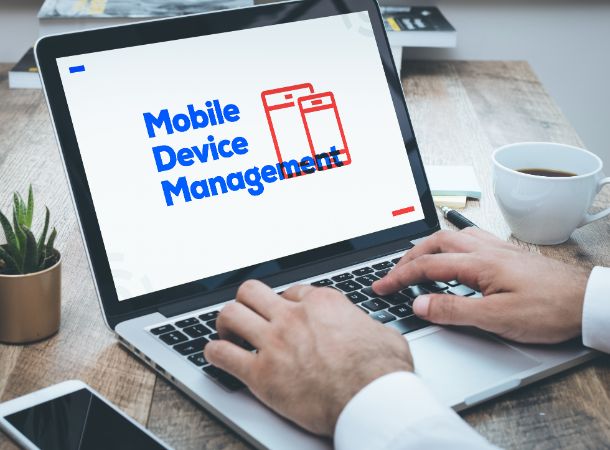
    Mobile device management (MDM) is a software solution that enables organizations to manage and secure their mobile devices, such as smartphones, tablets, and laptops, from a centralized platform. MDM is typically used in corporate environments where employees use mobile devices for work-related tasks and need to access sensitive data or company resources.

    MDM solutions provide administrators with a range of features that allow organizations to manage the devices, including:

    Device enrolment: Administrators can enroll new devices into the MDM system and assign them to users.

    Device configuration: Administrators can configure the devices with specific settings, such as email, Wi-Fi, and VPN configurations, as well as push updates and patches.

    Application management: Administrators can manage the applications installed on the devices, control access to specific applications, and push updates and patches.

    Security management: Administrators can enforce security policies on the devices, such as password policies, encryption, and remote wipe capabilities.

    Monitoring and reporting: Administrators can monitor device usage, track location, and generate reports on device performance, compliance, and security.

    MDM solutions are essential for ensuring the security and compliance of mobile devices in corporate environments. They help organizations to reduce the risk of data breaches, maintain regulatory compliance, and improve the productivity and efficiency of their mobile workforce.

    Why is mobile device management critical?

    Mobile device management (MDM) is essential for several reasons, including:

    Security: Mobile devices are vulnerable to security threats, such as malware, phishing attacks, and data breaches. MDM solutions help organizations to secure their mobile devices by enforcing security policies, such as password requirements, data encryption, and remote wipe capabilities.

    Compliance: Many industries have regulatory requirements for data privacy and security. MDM solutions can help organizations to meet these requirements by monitoring and reporting on device usage, enforcing security policies, and controlling access to sensitive data.

    Productivity: Mobile devices have become essential tools for many employees, enabling them to work remotely and access corporate resources. MDM solutions can help organizations improve their mobile workforce’s productivity by configuring devices correctly and ensuring applications are up-to-date and data is secure.

    Cost savings: Managing mobile devices can be a time-consuming and resource-intensive task. MDM solutions can help organizations to reduce the cost of managing mobile devices by automating tasks such as device configuration, application management, and security updates.

    In summary, mobile device management is vital for organizations to ensure their mobile devices’ security, compliance, productivity, and cost-effectiveness. Without MDM, organizations may be vulnerable to security threats, non-compliance with regulations, reduced productivity, and increased costs.

    How mobile device management works?

    Mobile device management (MDM) uses software to manage and control mobile devices from a centralized platform. Here’s a general overview of how MDM works:

    Device enrolment: The first step in using MDM is to enroll mobile devices into the MDM system. Enrollment involves installing an MDM agent or profile on the device, which allows it to communicate with the MDM server.

    Device configuration: Once enrolled in the MDM system, administrators can configure the device with specific settings, such as email, Wi-Fi, and VPN. Administrators can also push updates and patches to devices to ensure they are up-to-date and secure.

    Application management: MDM solutions allow administrators to manage the applications installed on the devices. They can push new applications to devices, control access to specific applications, and push updates and patches.

    Security management: MDM solutions can help organizations enforce security policies on the devices, such as password policies, data encryption, and remote wipe capabilities. If a device is lost or stolen, administrators can remotely wipe the device to ensure that sensitive data is not compromised.

    Monitoring and reporting: MDM solutions provide administrators with various monitoring and reporting tools. They can monitor device usage, track location, and generate reports on device performance, compliance, and security.

    MDM solutions use a variety of technologies to manage and control mobile devices. These include mobile device management protocols (such as Apple’s Device Enrollment Program and Android Enterprise), device management APIs (such as Apple’s Mobile Device Management API and Google’s Android Management API), and mobile application management frameworks (such as Microsoft’s Intune and VMware’s Workspace ONE).

    Components of mobile device management tools

    Mobile device management (MDM) tools typically consist of several components that work together to manage and secure mobile devices. These components include:

    MDM server: This is the core component of the MDM solution. The MDM server manages and controls mobile devices, enforces security policies, and pushes updates and patches.

    MDM agent: The MDM agent is a software application installed on mobile devices. It communicates with the MDM server and allows administrators to manage the device remotely.

    Enrolment portal: This web-based portal allows users to enroll their mobile devices into the MDM system. The enrolment portal typically provides instructions on installing the MDM agent and configuring the device.

    Device management console: This web-based interface allows administrators to manage and control mobile devices from a centralized location. The device management console provides a range of features, such as device configuration, application management, and security management.

    Application management: MDM solutions include features for managing applications on mobile devices. MDM management includes pushing new applications to devices, controlling access to certain applications, and pushing updates and patches.

    Security management: MDM solutions help organizations enforce mobile device security policies. Security management includes password policies, data encryption, and remote wipe capabilities.

    Reporting and analytics: MDM solutions provide administrators with various reporting and analytics tools. The Reporting and Analytics include monitoring device usage, tracking location, and generating reports on device performance, compliance, and security.

    In summary, mobile device management tools typically consist of a server, agent, enrolment portal, device management console, application management, security management, and reporting and analytics features. These components help organizations manage and secure their mobile devices from a centralized platform.

    BYOD and mobile device management

    Components of mobile device management tools

    BYOD (Bring Your Own Device) is a workplace policy that allows employees to use their personal mobile devices (such as smartphones and tablets) for work purposes. Mobile device management (MDM) is a crucial component of BYOD because it helps organizations manage and secure employees’ mobile devices.

    Here are some ways that BYOD and MDM work together:

    Device enrolment: With BYOD, employees are responsible for enrolling their personal devices into the MDM system. Enrollment typically involves installing an MDM agent or profile on the device and configuring it with the necessary settings and security policies.

    Device management: Once a device is enrolled in the MDM system, administrators can manage and control it remotely. This includes configuring email, Wi-Fi, and VPN settings, pushing updates and patches, and enforcing security policies.

    Application management: MDM solutions allow administrators to manage the applications installed on employee devices. They can push new applications to devices, control access to specific applications, and push updates and patches.

    Security management: MDM solutions can help organizations to enforce security policies on employee devices, such as password policies, data encryption, and remote wipe capabilities. This helps to protect sensitive corporate data and prevent security breaches.

    Employee privacy: One of the challenges of BYOD is balancing the organization’s security needs with employees’ privacy concerns. MDM solutions can help to address this challenge by implementing policies that protect corporate data without compromising employee privacy. For example, administrators can configure devices to separate work and personal data and restrict access to corporate data outside of work hours.

    In summary, BYOD and MDM are closely related because MDM solutions are essential for managing and securing personal devices used by employees for work purposes. By implementing MDM policies and procedures, organizations can protect corporate data while allowing employees to use their preferred mobile devices.

    Mobile device management best practices

    Here are some best practices for mobile device management (MDM):

    Develop a mobile device policy: Before implementing MDM, it’s essential to develop a comprehensive policy that outlines how mobile devices will be used in the organization. This policy should cover device security, acceptable use, and employee privacy.

    Use secure enrolment methods: When enrolling devices in the MDM system, use secure enrolment methods that require strong passwords and two-factor authentication to ensure that only authorized users can access the system.

    Implement robust security policies: Use MDM to enforce strong security policies on mobile devices, such as requiring device encryption, setting passcode requirements, and implementing remote wipe capabilities.

    Regularly update devices: Regularly push updates and patches to mobile devices to ensure they are up-to-date and secure. Updates include operating system updates and updates to applications and other software.

    Monitor device usage: Use MDM to monitor device usage and identify any security or compliance issues. This includes tracking device location, monitoring data usage, and identifying unauthorized corporate data access.

    Train employees: Train employees on how to use their mobile devices securely and comply with the organization’s mobile device policy.

    Implement a BYOD program: Consider implementing a BYOD program that allows employees to use their devices for work purposes but ensure that the devices are enrolled in the MDM system and that the necessary security policies are in place.

    Regularly review and update policies: Regularly review and update mobile device policies and procedures to ensure they remain practical and current with the latest security threats and industry best practices.

    By following these best practices, organizations can effectively manage and secure their mobile devices and protect corporate data from security breaches and other threats.

    Mobile application management (MAM): MAM is a solution that focuses specifically on managing and securing mobile applications rather than entire devices. MAM solutions allow organizations to control access to mobile applications, push updates and patches, and enforce security policies per app.

    Mobile content management (MCM): MCM is a solution that focuses on managing and securing the content (such as documents and files) accessed and shared on mobile devices. MCM solutions provide secure file-sharing and collaboration tools, data loss prevention, and encryption capabilities.

    Enterprise mobility management (EMM): EMM is a comprehensive solution that includes MDM, MAM, and MCM capabilities. EMM solutions provide a centralized platform for managing all aspects of enterprise mobility, including devices, applications, and content.

    Unified endpoint management (UEM): UEM is a solution that extends beyond mobile devices to include all endpoints, including laptops, desktops, and IoT devices. UEM solutions provide a centralized platform for managing and securing all endpoints, with device, application, identity, and access management capabilities.

    Mobile threat defense (MTD): MTD is a solution that focuses specifically on protecting mobile devices from security threats, such as malware, phishing attacks, and network vulnerabilities. MTD solutions provide real-time threat detection and response capabilities, mobile app reputation scoring and mobile threat intelligence.

    By leveraging these related solutions, organizations can enhance their mobile device management capabilities and better protect their mobile devices, applications, and content from security threats and other risks.

    Written by – Mr. Adam Pittman

  • VoIP Phone System And Service: Features, Pricing, Pro & Cons

    VoIP Phone System And Service: Features, Pricing, Pro & Cons

        VoIP phone system and service for business

        VoIP (Voice over Internet Protocol) is a popular technology that enables users to make voice and video calls over the Internet rather than through traditional phone lines. As a result, a VoIP phone system and service can be a cost-effective and flexible solution for businesses of all sizes.

        Here are some factors to consider when selecting a VoIP phone system and service for your business:

        • Features: Look for a provider that offers the features your business needs, such as call forwarding, voicemail, call recording, and conference calling.
        • Quality: Voice quality is essential for business calls, so make sure your provider offers high-quality voice and video calls with minimal delays and dropped calls.
        • Scalability: Consider the size of your business and the growth potential. Look for a provider that can quickly scale their services to accommodate your growing needs.
        • Cost: VoIP services can be cost-effective compared to traditional phone systems, but pricing structures vary among providers. Compare pricing plans to ensure you get the best value for your money.
        • Support: Look for a provider that offers reliable customer support, including 24/7 availability and quick resolution of any issues.

        Some popular VoIP phone systems and service providers for businesses include:

        • RingCentral
        • Vonage Business
        • 8×8
        • Nextiva
        • Zoom Phone

        These providers offer a range of features, pricing plans, and customer support options so that you can find the right fit for your business.

        VoIP phone system and service for business

        What is a VoIP phone system?

        A VoIP (Voice over Internet Protocol) phone system is a technology that enables voice, and video calls over the Internet instead of traditional phone lines. VoIP phone systems convert analog voice signals into digital packets to transmit over the Internet.

        With a VoIP phone system, businesses can make and receive calls using internet-connected devices such as computers, smartphones, and IP phones. VoIP phone systems can also offer a range of features, such as call forwarding, voicemail, call recording, conference calling, and more.

        VoIP phone systems can be a cost-effective solution for businesses because they typically have lower monthly fees and international calling rates than traditional phone systems. Additionally, VoIP phone systems can offer greater flexibility, scalability, and mobility for businesses, enabling employees to work remotely and collaborate from anywhere with an internet connection.

        How much does a small business VoIP system cost?

        The cost of a small business VoIP system can vary depending on several factors, including the size of your business, the features you require, and the VoIP provider you choose. However, here are some general guidelines:

        Basic VoIP plans for small businesses can cost anywhere from $20 to $35 per user per month. Costs typically include features like call forwarding, voicemail, and basic conferencing.

        More advanced plans with additional features like video conferencing, advanced call routing, and CRM integration can cost upwards of $50 per user per month.

        There may also be additional hardware, installation, and ongoing support fees.

        Some providers may offer discounts for annual contracts or businesses with multiple lines.

        Overall, the cost of a small business VoIP system can range from a few hundred dollars per month to several thousand, depending on your needs and the provider you choose. Therefore, it’s essential to research different providers and plans to find the one that best fits your budget and requirements.

        What is the advantage of a VoIP phone system?

        There are several advantages of using a VoIP (Voice over Internet Protocol) phone system for your business:

        • Cost Savings: VoIP phone systems are typically less expensive than traditional landlines because they use the Internet to transmit voice data, which can significantly reduce the cost of long-distance calls and international calling.
        • Flexibility: VoIP phone systems can be used from anywhere with an internet connection, allowing employees to work remotely and stay connected to the business phone system.
        • Advanced Features: VoIP phone systems offer a wide range of advanced features, such as call forwarding, auto-attendants, voicemail-to-email, and call recording, which can improve business communication and productivity.
        • Scalability: VoIP phone systems are highly scalable, allowing you to easily add or remove phone lines as your business grows or changes.
        • Integration with other business applications: VoIP phone systems can integrate with other business applications, such as customer relationship management (CRM) software, to streamline business processes and improve efficiency.
        • Mobility: VoIP phone systems can be used on mobile devices, allowing employees to use their business phone numbers on their devices and make and receive calls from anywhere.

        Overall, VoIP phone systems offer several advantages over traditional phone systems, including cost savings, flexibility, advanced features, scalability, integration with other applications, and mobility.

        How to choose a business VoIP system?

        Choosing the right VoIP system for your business can be a challenging task, but here are some factors to consider when making your decision:

        • Cost: Consider the upfront and ongoing costs of the VoIP system, including hardware, software, installation, and support. Compare pricing plans and look for providers that offer competitive rates.
        • Features: Determine what features are essential to your business, such as call routing, voicemail, conference calling, and auto-attendants. Look for providers that offer the features you need at a reasonable cost.
        • Reliability: Ensure the VoIP system you choose has a reliable network and backup plans in case of an outage. Check for service level agreements (SLAs) that guarantee uptime and availability.
        • Scalability: Consider how easy it is to add or remove phone lines as your business grows or changes. Look for providers that offer flexible plans and the ability to scale up or down as needed.
        • Integration: Consider how well the VoIP system integrates with other business applications, such as CRM software, email, and other communication tools. Look for providers that offer integration options to streamline your business processes.
        • Security: Ensure the VoIP system has robust security features, such as encryption and firewalls, to protect your business data and communications.
        • Support: Look for providers that offer reliable technical support and customer service. Ensure they offer 24/7 support and have a good reputation for responsiveness and problem-solving.

        Choosing the right VoIP system for your business requires careful consideration of cost, features, reliability, scalability, integration, security, and support. Take the time to research and compare different providers and plans to find the one that best meets your business needs.

        Pros and cons of VoIP phone system

        VoIP (Voice over Internet Protocol) phone systems are becoming increasingly popular among businesses due to their flexibility, cost-effectiveness, and advanced features. However, there are also some potential drawbacks to consider. Here are some of the pros and cons of VoIP phone systems:

        Pros:

        • Cost savings: VoIP phone systems use the Internet to transmit calls, which is significantly cheaper than traditional landline phone systems. This is especially true for long-distance and international calls, which can be expensive on traditional POTS (Plain Old Telephone Service) phone systems.
        • Flexibility: VoIP phone systems are highly flexible and can be used from anywhere worldwide if you have an internet connection. This is especially useful for businesses with remote workers or multiple locations.
        • Advanced features: VoIP phone systems offer many advanced features, such as call forwarding, call routing, voicemail, and video conferencing.
        • Scalability: VoIP phone systems are easy to scale up or down as needed, which makes them a good option for businesses that are growing or have fluctuating call volumes.

        Cons:

        • Dependence on Internet connection: VoIP phone systems rely on a stable and fast Internet connection. If your internet connection is slow or unreliable, call quality may suffer.
        • Security risks: VoIP phone systems are vulnerable to security risks such as hacking, phishing, and eavesdropping. Businesses need to protect their VoIP phone systems from these threats.
        • Power outage: VoIP phone systems require power to function, meaning they will not work during a power outage unless you have backup power.
        • Technical knowledge: Setting up and maintaining a VoIP phone system requires technical knowledge, which can be challenging for businesses without an IT department.

        Overall, the benefits of a VoIP phone system often outweigh the drawbacks, but it’s important to consider your specific business needs and technical capabilities before deciding.

        Why do small businesses need VoIP phone systems?

        Small businesses can benefit significantly from using VoIP phone systems for several reasons:

        • Cost savings: One of the most significant advantages of VoIP phone systems is that they are generally less expensive than traditional landline phone systems. This is especially important for small businesses that may have limited budgets.
        • Advanced features: VoIP phone systems offer advanced features such as call forwarding, call waiting, voicemail, and video conferencing, which can help small businesses to improve their communication and collaboration.
        • Flexibility: VoIP phone systems are highly flexible and can be used from anywhere worldwide if you have an internet connection. This is especially useful for small businesses with remote workers or multiple locations.
        • Scalability: VoIP phone systems are easy to scale up or down as needed, which makes them a good option for small businesses that are growing or have fluctuating call volumes.
        • Professional image: VoIP phone systems can help small businesses project a professional image. They offer features such as auto-attendants and customized greetings that can make your business sound more established and professional.
        • Integration with other software: VoIP phone systems can integrate with other business software, such as customer relationship management (CRM) tools, which can help small businesses to streamline their workflows and improve their productivity.

        Small businesses can benefit from VoIP phone systems in many ways, from cost savings to improved communication and collaboration. VoIP phone systems offer advanced features, flexibility, scalability, and integration capabilities, making them a valuable tool for small businesses looking to improve communication and productivity.

        How does VoIP work?

        VoIP (Voice over Internet Protocol) is a technology that allows voice communication over the Internet. Here’s how it works:

        • Analog audio signals convert into digital data: When you speak into a VoIP phone, your voice is first converted into an analog audio signal. This signal is then converted into digital data packets that can be transmitted over the Internet.
        • Data packets are transmitted over the Internet: Once the audio signals are converted into digital data, they are transmitted over the Internet to the recipient’s device.
        • Data packets are reassembled into audio signals: When the digital data packets reach the recipient’s device, they are reassembled into audio signals. The recipient hears your voice in real time.
        • The process is repeated in the opposite direction. When the recipient speaks, the same process is repeated in the opposite direction, with their voice being converted into digital data and transmitted over the Internet to your device.

        VoIP technology relies on a robust internet connection and special hardware or software to facilitate the conversion of analog audio signals into digital data and back again. As a result, some VoIP phone systems require special equipment, such as IP phones or adapters, while others can be used with standard telephones using a VoIP gateway. VoIP technology has become an increasingly popular alternative to traditional landline phones due to its cost-effectiveness, flexibility, and advanced features.

        Types of VoIP service

        Several types of VoIP (Voice over Internet Protocol) services are available to users. Here are the most common types:

        • Hosted VoIP: In a hosted VoIP service, the service provider hosts the VoIP system in their data center and manages all aspects of the service, including maintenance, upgrades, and security. Users access the service online, usually via IP phones or softphones.
        • On-Premise VoIP: On-premise VoIP, also known as a self-hosted VoIP, is a type of VoIP service in which the business hosts and manages its own VoIP system on-site. This requires businesses to purchase and maintain their hardware and software.
        • SIP Trunking: SIP (Session Initiation Protocol) trunking is a VoIP service that allows businesses to use their existing PBX (Private Branch Exchange) system with VoIP technology. SIP trunking allows businesses to make and receive calls over the Internet, reducing the need for expensive traditional phone lines.
        • Mobile VoIP: Mobile VoIP, also known as mVoIP, is a VoIP service that allows users to make and receive calls over a mobile device using a mobile app. This type of service is becoming increasingly popular as more people use their smartphones as their primary means of communication.
        • Cloud PBX: Cloud PBX (Private Branch Exchange) is a VoIP service that uses cloud-based technology to provide businesses with a virtual PBX system. This service eliminates the need for on-premise hardware and allows companies to access advanced features such as call routing, voicemail, and call recording.

        Overall, many different types of VoIP services are available to users, each with unique features and benefits. Therefore, it’s essential to carefully consider your business needs and budget when choosing a VoIP service to ensure you select the one that’s right for you.

        Setting up VoIP phone system

        Setting up a VoIP (Voice over Internet Protocol) phone system can be relatively straightforward. However, the specifics will vary depending on the type of system you’re using and your business needs. Here are the general steps involved in setting up a VoIP phone system:

        • Choose a VoIP service provider: The first step in setting up a VoIP phone system is to choose a service provider that meets your business needs. Consider cost, features, reliability, and customer support when selecting a provider.
        • Determine your hardware requirements: Depending on the VoIP system you’re using, you may need to purchase hardware such as IP phones, adapters, or a PBX (Private Branch Exchange) system. Some VoIP services can be used with existing hardware, so check with your provider to determine what equipment is required.
        • Configure your network: To ensure your VoIP phone system operates smoothly, you’ll need to configure your network to prioritize voice traffic. This may involve configuring Quality of Service (QoS) settings on your router or implementing a virtual LAN (VLAN) to separate voice traffic from other data traffic.
        • Set up your VoIP system: Once you’ve chosen your provider, purchased any necessary hardware, and configured your network, you can set up your VoIP phone system. This may involve installing software, registering devices, configuring call routing and other settings, and setting up voicemail.
        • Train your staff: Finally, it’s essential to train your staff to use the new VoIP phone system. This may involve providing user manuals, holding training sessions, and offering ongoing support to address any issues that may arise.

        Overall, setting up a VoIP phone system can be relatively straightforward, although it requires careful planning and attention to detail. By following these steps and working closely with your VoIP service provider, you can ensure a smooth transition to your new phone system and reap the benefits of improved communication and collaboration for your business.

        Common VoIP addons

        There are several standard VoIP (Voice over Internet Protocol) add-ons that can enhance the functionality of your VoIP phone system. Here are a few examples:

        • Auto Attendant: An Auto Attendant is a software feature that automatically answers incoming calls and routes them to the appropriate person or department. This feature can save time and improve customer service by streamlining the call-routing process.
        • Call Recording: Call recording is a valuable feature that allows businesses to record and store calls for later reference. This can be useful for training, quality assurance, and compliance requirements.
        • Call Analytics: Call analytics software can provide businesses valuable insights into their call traffic, such as call volume, duration, and wait times. This information can help businesses optimize call routing and staffing to improve customer service.
        • Video Conferencing: Many VoIP providers offer video conferencing capabilities as an add-on. This allows businesses to meet face-to-face with clients, colleagues, or team members from anywhere in the world.
        • Softphones: A softphone is a software application that allows users to make and receive calls using their computer or mobile device. Softphones can be useful for remote workers or employees who frequently travel.
        • Integration with other applications: Many VoIP providers offer integration with popular business applications such as CRMs, marketing automation software, and helpdesk software. This can help streamline business processes and improve overall efficiency.

        Overall, there are many different VoIP add-ons available to businesses, each with its own unique benefits. By carefully selecting the add-ons that best meet your business needs, you can create a powerful and flexible VoIP phone system that improves communication and collaboration across your organization.

        However, based on current trends and developments in the VoIP (Voice over Internet Protocol) industry, here are some potential VoIP trends to watch for in 2023 and beyond:

        • Increased adoption of 5G networks: The rollout of 5G networks is expected to accelerate in the coming years, providing faster and more reliable internet connectivity. This could lead to increased adoption of VoIP services as businesses seek to take advantage of the improved connectivity for their voice communications.
        • Growth in cloud-based VoIP services: Cloud-based VoIP services are becoming increasingly popular, offering greater flexibility, scalability, and cost-effectiveness than traditional on-premise solutions. We expect the trend to continue in the coming years as more businesses transition to the cloud.
        • Focus on security: As VoIP becomes more widely adopted, there will be an increased focus on security, particularly regarding protecting sensitive business data and preventing unauthorized access to networks. As a result, VoIP providers will need to invest in robust security measures to address these concerns.
        • Integration with other business applications: Many businesses are looking for ways to streamline their workflows and improve efficiency, and VoIP providers are responding by offering integrations with other popular business applications such as CRMs, helpdesk software, and project management tools.
        • Continued growth in remote work: The COVID-19 pandemic has accelerated the trend toward remote work, and we expect it to continue even after the pandemic subsides. As a result, businesses will be looking for VoIP solutions that support remote work, such as softphones and video conferencing.

        Overall, the VoIP industry is expected to continue to grow and evolve in the coming years, driven by technological advances, changing business needs, and shifting market trends.

        Written by – Mr. Adam Pittman

      • Zero Trust security model, Latest Security Architecture

        Zero Trust security model, Latest Security Architecture

            What is the Zero-Trust security model?

            A zero-trust security model is an approach to cybersecurity that assumes no user or device should be trusted by default, regardless of whether it is inside or outside the network perimeter. This model is based on the principle of “never trust, always verify.”

            In a zero-trust security model, access to resources and data is granted on a need-to-know basis only after the user or device requesting access has been authenticated and authorized. This means that access is granted based on specific user, device, and environmental factors such as location, time of day, and other contextual information.

            Zero-Trust security models aim to provide a higher level of security by reducing the attack surface and minimizing the risk of unauthorized access, data breaches, and other security incidents. They often rely on a combination of technologies such as multi-factor authentication, identity and access management (IAM), network segmentation, and encryption to enforce security policies and protect critical assets.

            What are the scenario of Zero-Trust security?

                  Here are some scenarios where we would apply Zero-Trust:

                  Remote work: With the rise of remote work, employees access sensitive data outside the traditional network perimeter. Zero-Trust security can help ensure that access is granted only to authorized users and devices, even when they are not physically present in the office.

                  Cloud computing: Cloud environments are highly distributed and dynamic, making it difficult to establish trust. Zero-Trust security can help protect cloud-based workloads and data by verifying user identity, device health, and other contextual information.

                  Internet of Things (IoT): IoT devices are often vulnerable to attacks and can provide an entry point into the network. Zero-Trust security can help prevent unauthorized access and ensure that IoT devices only communicate with authorized endpoints.

                  Insider threats: Insider threats can come from both malicious and accidental actors. Zero-Trust security can help limit the impact of such threats by limiting access to sensitive data and resources to only those who need it to perform their job functions.

                  Compliance: Regulatory requirements such as GDPR, HIPAA, and PCI DSS mandate strict controls on access to sensitive data. Zero-Trust security can help ensure compliance by providing a granular level of control over access to such data.

                  Overall, the Zero-Trust security model can be applied in any scenario where the traditional network perimeter is no longer a reliable indicator of trust and where organizations need to protect sensitive data and resources from unauthorized access.

                  Zero-Trust scope and phases

                  The Zero-Trust security model typically involves several phases, which we use to implement and manage a comprehensive security strategy. Here is an overview of the typical phases involved in implementing a Zero-Trust security model:

                  Define the Scope: The first phase involves defining the scope of the Zero-Trust security model. This includes identifying the critical assets, data, and resources that need to be protected and the users and devices that will be granted access to these resources.

                  Establish policy: Once the scope has been defined, the next step is to establish policies that govern access to these resources. Policies should be based on the principle of “never trust, always verify” and should be designed to limit access to only those users and devices that have been authenticated and authorized.

                  Verify user and device identity: The next phase involves implementing technologies that can verify the identity of users and devices. This typically includes multi-factor authentication, identity and access management (IAM), and device health checks.

                  Monitor activity: Once access policies and identity verification mechanisms are in place, the next step is to monitor user and device activity to detect potential security incidents. This can be accomplished through the use of security information and event management (SIEM) systems and other monitoring tools.

                  Respond to incidents: If a security incident is detected, the Zero-Trust security model should include procedures for responding to and containing the incident. This may involve isolating affected systems, revoking user access, and implementing additional security controls.

                  Continuously improve: Finally, the Zero-Trust security model is continually improved over time. This involves regularly reviewing and updating access policies, identity verification mechanisms, and monitoring procedures to ensure they remain effective and current.

                  Overall, the Zero-Trust security model is a comprehensive approach to cybersecurity that involves multiple phases and requires ongoing attention and management to ensure the highest level of protection for critical assets, data, and resources.

                  What is Zero-Trust architecture?

                  Zero-Trust architecture (ZTA) is a security framework that is based on the principle of “never trust, always verify.” The ZTA model assumes that all users, devices, and network traffic are potentially hostile, and as such, access to resources and data must be strictly controlled and continuously verified.

                  ZTA replaces the traditional perimeter-based security model with a more dynamic and distributed approach focusing on securing individual devices and data flows rather than relying on a static network perimeter. This means that access is granted on a need-to-know basis only after the user or device requesting access has been authenticated and authorized.

                  The ZTA model typically includes the following components:

                  Identity and access management (IAM): This component is used to authenticate users and devices and to control access to resources and data.

                  Multi-factor authentication (MFA): MFA is used to verify the identity of users and devices and to ensure that access is only granted to authorized entities.

                  Network segmentation: Network segmentation creates secure zones within the network and restricts access to sensitive resources.

                  Micro-segmentation: Micro-segmentation is a more granular form of network segmentation that allows access controls to be applied at the application or workload level.

                  Policy-based access controls: Policy-based access controls enforce security policies and restrict access to resources based on specific user, device, and environmental factors.

                  Continuous monitoring and analytics: Continuous monitoring and analytics are used to detect security incidents and to provide insights into network traffic and user behavior.

                  Overall, the Zero-Trust architecture model is designed to provide a higher level of security than traditional perimeter-based approaches by reducing the attack surface, minimizing the risk of unauthorized access, and continuously verifying the identity of users and devices.

                  Pillars of Zero-Trust Architecture

                  The Zero-Trust architecture (ZTA) model is based on several key pillars that provide a comprehensive and effective security framework. Here are the five pillars of Zero-Trust architecture:

                  Identity and access management (IAM): This pillar involves using multi-factor authentication (MFA), identity verification, and access controls to ensure that only authorized users and devices can access critical resources and data.

                  Network segmentation: Network segmentation divides the network into smaller, more secure zones or segments. This helps to limit the spread of malware and restricts unauthorized access to sensitive data.

                  Micro-segmentation: Micro-segmentation takes network segmentation to a more granular level by applying access controls at the application or workload level. This allows for greater control over who can access specific resources and data.

                  Policy-based access controls: Policy-based access controls involve the use of policies to determine who can access specific resources and data and under what conditions. Policies can be based on various factors, including user identity, device health, and environmental factors.

                  Continuous monitoring and analytics: Continuous monitoring and analytics are used to detect real-time security incidents and provide insights into network traffic and user behavior. This allows for quick detection and response to security incidents and helps to identify potential security vulnerabilities and areas for improvement.

                  By leveraging these five pillars of Zero-Trust architecture, organizations can create a more secure and resilient security model better suited to modern cyber threats’ challenges.

                  History of Zero-Trust security

                  The concept of Zero-Trust security dates back to 2010 when Forrester Research analyst John Kindervag published a research report entitled “No More Chewy Centers: Introducing the Zero-Trust Model of Information Security.” In this report, Kindervag argued that traditional perimeter-based security models, which relied on the assumption that all traffic inside the network was trusted, were no longer effective in the face of advanced cyber threats.

                  Kindervag proposed a new security model based on the principle of “never trust, always verify”, which would require all users, devices, and network traffic to be authenticated and authorized before being granted access to resources and data. This model would eliminate the idea of a “trusted” internal network and treat all traffic as potentially hostile.

                  Over the years, Zero-Trust security has gained traction in the cybersecurity industry, with many organizations adopting Zero-Trust principles and technologies to improve their security posture. In 2018, the National Institute of Standards and Technology (NIST) released a Zero-Trust architecture guide, providing a framework for organizations to implement Zero-Trust principles.

                  Today, Zero-Trust security is widely recognized as a best practice in cybersecurity. As a result, organizations of all sizes and industries are increasingly adopting it to protect against evolving cyber threats.

                  The foundation of the Zero-Trust model

                  The foundation of the Zero-Trust model is based on the principle of “never trust, always verify”. In traditional security models, the focus is on securing the network’s perimeter, assuming that all traffic inside the network is trusted. However, this approach has proven insufficient in protecting against advanced cyber threats such as targeted attacks, insider threats, and data breaches.

                  The Zero-Trust model, on the other hand, assumes that all users, devices, and network traffic are potentially hostile. As such, access to resources and data must be strictly controlled and continuously verified. This means that access is granted on a need-to-know basis only after the user or device requesting access has been authenticated and authorized.

                  The foundation of the Zero-Trust model also includes the following fundamental principles:

                  Identity is the new perimeter: Rather than relying on a static network perimeter, the Zero-Trust model focuses on securing individual devices and data flows based on user and device identity.

                  Assume breach: The Zero-Trust model assumes that the network has already been breached and continuously monitors and verifies all traffic for signs of compromise.

                  Least privilege access: Access to resources and data is granted on a need-to-know basis, with the least privilege necessary to complete the task.

                  Micro-segmentation: The network is segmented into smaller, more secure zones or segments, with access controls applied at the application or workload level.

                  Continuous monitoring and analytics: Continuous monitoring and analytics are used to detect real-time security incidents and provide insights into network traffic and user behavior.

                  By adopting these foundational principles, organizations can create a more dynamic and distributed security model that provides higher protection against evolving cyber threats.

                  Benefit of Zero-Trust

                  There are several benefits to adopting a Zero-Trust security model. Here are some of the key benefits:

                  Improved security posture: Zero-Trust security reduces the risk of data breaches and other security incidents by eliminating the assumption of trust and continuously verifying access to resources and data.

                  Better visibility and control: Zero-Trust security provides granular visibility and control over user and device access, enabling organizations to monitor and enforce policies more effectively.

                  Reduced attack surface: By implementing network segmentation and micro-segmentation, Zero-Trust security minimizes the attack surface by limiting the scope of potential attacks.

                  Enhanced compliance: Zero-Trust security helps organizations to meet regulatory compliance requirements, such as GDPR and HIPAA, by implementing strict access controls and continuous monitoring.

                  Increased agility and flexibility: Zero-Trust security enables organizations to adapt to changing business needs and security threats by providing a more dynamic and distributed security model.

                  Better protection against insider threats: Zero-Trust security helps to protect against insider threats by applying the principle of least privilege and continuously monitoring user and device behavior.

                  Overall, Zero-Trust security provides a more comprehensive and effective security model that better addresses the challenges of modern cyber threats, improves the organization’s security posture, and reduces the risk of data breaches and other security incidents.

                  Steps to Implement Zero-Trust Model

                  Implementing a Zero-Trust model can be a complex process that involves multiple steps. However, here are some general steps to consider when implementing a Zero-Trust security model:

                  Identify critical assets and data: Identify the critical assets and data that need to be protected and determine their location and access requirements.

                  Map out the network architecture: Map out the network architecture and identify all entry and exit points, including internal and external users, devices, and applications.

                  Define user and device identities: Define user and device identities and establish a policy for granting and revoking access based on these identities.

                  Implement strong authentication and authorization mechanisms: Implement strong authentication and authorization mechanisms, such as multi-factor authentication, certificates, and biometrics, to ensure that only authorized users and devices can access resources and data.

                  Implement micro-segmentation: Implement micro-segmentation to create smaller, more secure zones or segments within the network, with access controls applied at the application or workload level.

                  Implement continuous monitoring and analytics: Implement constant monitoring and analytics to detect security incidents in real-time and provide insights into network traffic and user behavior.

                  Develop a policy-based approach: Develop a policy-based approach to security that aligns with the organization’s risk tolerance and regulatory compliance requirements.

                  Train employees: Train employees on the Zero-Trust security model and the importance of adhering to security policies and procedures.

                  Regularly review and update security policies and procedures: Regularly review and update security policies and procedures to ensure that they align with the organization’s evolving security needs and regulatory compliance requirements.

                  By following these steps, organizations can implement a Zero-Trust security model that provides a higher level of protection against evolving cyber threats and better addresses the challenges of modern security threats.

                  Challenges in implementing Zero-Trust

                  Implementing a Zero-Trust security model can be challenging for organizations. Here are some of the critical challenges that organizations may face when implementing a Zero-Trust security model.

                  Complexity: Implementing a Zero-Trust security model can be complex, particularly for organizations with large and complex networks. It requires a significant investment in time, resources, and expertise to properly configure and manage the various components of a Zero-Trust security model.

                  Legacy systems and applications: Many organizations still rely on legacy systems and applications that may not be compatible with a Zero-Trust security model. These systems may be unable to support the required authentication and access controls, making it difficult to implement a Zero-Trust security model fully.

                  User experience: A Zero-Trust security model can introduce additional authentication and access controls that may impact the user experience. If not properly designed and implemented, these controls can create additional friction for users and impact productivity.

                  Cost: Implementing a Zero-Trust security model can be expensive, particularly for smaller organizations with limited budgets. The costs can include hardware, software, and staffing requirements.

                  Cultural resistance: Implementing a Zero-Trust security model requires a significant cultural shift within an organization. Employees may resist the new policies and procedures, mainly if they are used to having more open access to resources and data.

                  Lack of expertise: Implementing a Zero-Trust security model requires specialized expertise in identity and access management, network security, and data analytics. Many organizations may struggle to find and retain the necessary expertise to implement and manage a Zero-Trust security model properly.

                  Implementing a Zero-Trust security model can be a significant challenge for organizations. However, the benefits of increased security and protection against evolving cyber threats make it an important consideration for organizations looking to improve their security posture.

                  Overview on Zero-Trust

                  Zero-Trust is a security model that eliminates the traditional approach of assuming trust and instead operates on the principle of “never trust, always verify.” The Zero-Trust security model assumes that any user, device, or application attempting to access resources or data must be verified and authenticated, regardless of whether inside or outside the organization’s network perimeter.

                  The Zero-Trust model is based on the principle of least privilege, which means that users and devices are only given access to the resources and data they need to perform their specific tasks. This approach minimizes the attack surface by limiting the scope of potential attacks and provides greater visibility and control over network traffic and user behavior.

                  Zero-Trust security is based on several key pillars, including strong authentication and access controls, network segmentation and micro-segmentation, continuous monitoring and analytics, policy-based security, and automation and orchestration. By implementing these pillars, organizations can create a more comprehensive and effective security model that better addresses the challenges of modern cyber threats.

                  Implementing a Zero-Trust security model can be complex and challenging and requires significant time, resources, and expertise. However, the benefits of increased security and protection against evolving cyber threats make it an essential consideration for organizations looking to improve their security posture.

                  Overall, the Zero-Trust security model represents a shift in how organizations approach security, moving away from the traditional assumption of trust towards a more proactive and dynamic approach to security better equipped to deal with the challenges of modern cyber threats.

                  Written by – Mr. Adam Pittman

                • Cloud Computing Services Features & Its Benefits

                  Cloud Computing Services Features & Its Benefits

                  There’s no denying that IT has influenced virtually all sectors of human endeavor today. From communication to marketing, business operations rely mainly on IT for successful execution and optimized results. One of the primary needs of an IT-powered system is data.

                  Data plays a crucial role in helping businesses:

                  • analyze and understand the best models for maximum productivity and profitability.
                  • detect errors in operation and provide effective solutions.
                  • understand customer behavior and create more practical marketing plans.

                  etc

                  Businesses’ computational processes require data, which are traditionally stored on-site using servers, computers, or other devices. However, this system poses several challenges, such as:

                  • heavy maintenance costs
                  • high set-up cost
                  • lack of scalability
                  • difficulty in accessing data
                  • more prone to security issues

                  Luckily, with the introduction of cloud computing, businesses can now enjoy a better way of handling data and utilizing IT for operations.

                  What is Cloud Computing?

                  Cloud computing refers to the use and delivery of computing resources over the internet. Computing resources include servers, applications, databases, networking, and analytics. Instead of dealing with the heavy maintenance costs of on-site servers, businesses enjoy the same service, and even more, while paying only for the resources and services they use with cloud computing.

                  As a result, they can cut operating costs while solving the challenges of local storage without worrying about security and privacy issues. Interestingly, cloud computing services are available to all kinds of companies and organizations, whether small, medium, or large scale.

                  Types of Cloud Computing

                  Cloud computing refers to the use and delivery of computing resources over the internet. Computing resources include servers, applications, databases, networking, and analytics. Instead of dealing with the heavy maintenance costs of on-site servers, businesses enjoy the same service, and even more, while paying only for the resources and services they use with cloud computing.

                  As a result, they can cut operating costs while solving the challenges of local storage without worrying about security and privacy issues. Interestingly, cloud computing services are available to all kinds of companies and organizations, whether small, medium, or large scale.

                  Types of Cloud Computing

                  Generally, there are four types of cloud computing models, which are:

                  • private clouds
                  • public clouds
                  • hybrid clouds
                  • multiclouds

                  Private clouds

                  Private clouds are clouds owned by a single end-user, group, or company and run behind the owner’s firewall. In private clouds, the entire IT infrastructure is dedicated to just one user who enjoys exclusive access. Private clouds are typically only available for internal use as they’re developed within the organization or company.

                    Public clouds

                    Public clouds are cloud resources offered by large cloud providers for public use. Public clouds aren’t owned by the users and can have millions of users, with each having its own privacy. Popular examples of public cloud providers are Alibaba Cloud, Google Cloud, IBM Cloud, Amazon Web Services (AWS), and Microsoft Azure.

                      Hybrid clouds

                      Hybrid clouds are formed from a combination of at least one private and public cloud connected via local area networks (LANs), wide area networks (WANs), virtual private networks (VPNs), and/or APIs.

                      Multiclouds

                      Multiclouds are the result of combining multiple public cloud resources from multiple vendors, and they can sometimes include private cloud resources too.

                      Cloud services

                      It’s worth mentioning that cloud computing models are different from cloud computing services. Cloud services indicate software or infrastructure hosted by third-party cloud providers for users via the internet. There are several types of cloud services, but the three main ones are IaaS, PaaS, and SaaS.

                      Cloud Computing Features & Benefits

                      1. Near-limitless scalability.

                      Business demands often increase with time, and as more products, services, or operation models are introduced. Unlike traditional methods, cloud computing enables businesses to easily scale their IT solution while keeping costs friendly. Thus, using cloud computing solutions gives companies the confidence to scale their business without worrying about overburdening their IT infrastructure.

                      2. Innovation

                      Traditional storage systems often have back-end performance issues which can be a major setback for organizations looking to be innovative. With cloud computing, innovation is an added advantage as the infrastructure allows businesses to experiment with different solutions and determine the most suitable and cost-effective one.

                      3. Cost-Effective

                      Cloud computing offers way cheaper and more reliable IT solutions, from the set-up cost to the maintenance fee. Although migrating to the cloud can be a bit expensive, it’s still a better alternative when businesses consider the cost of maintaining local storage methods.

                      4. Improved availability

                      Cloud computing eliminates the challenges of unavailability of files since it only requires a dependable internet to connect to your business data. All relevant team members can access and share important files while being far apart, making it easy to collaborate with the right people and break the distance barrier.

                      5. Pay for use

                      There are lots of free features on cloud services that small and medium businesses can take advantage of. However, there are also packages that companies have to pay for to enjoy the full potential of the cloud.

                      That said, the pricing model for cloud service users is solely dependent on usage rather than having a fixed fee. This is a cheaper and more economical model as businesses wouldn’t have to pay for services they didn’t use. Thus, cloud computing encourages the maximum use of resources while generating greater ROI.

                      Conclusion

                        Cloud computing is penetrating more businesses as news about its effectiveness and affordability continues to spread from one industry to another. Its benefits, as compared to traditional methods of handling IT needs, are incomparable. Plus, cloud computing offers businesses more robust security while keeping costs significantly lower and providing broader network access.

                        Written by – Mr. Adam Pittman

                      • Trusted online Remote Computer Repair in NC

                        Trusted online Remote Computer Repair in NC

                        Every computer experiences a problem at some point, whether it’s a virus infection, snail-like booting, or other kinds of problems. Traditionally, most people will immediately reach out to a local computer repairer to diagnose and troubleshoot their device.

                        However, with technology becoming more advanced by the day, there’s now a better, cheaper, and faster way to tackle computer problems via online remote computer repair. If you’ve heard this before, it may sound far-fetched, but it’s not.

                        A lot of software-related computer problems can now be solved remotely, saving you time, money, and stress. How does this work, and how do you get a trusted remote computer repair service? Read on to find out.

                        What is a Remote computer/laptop repair service?

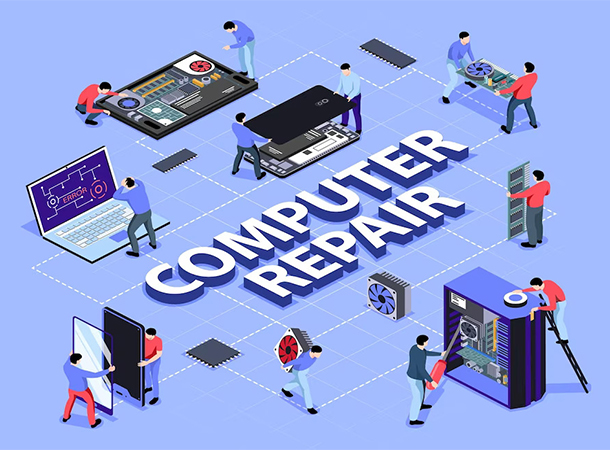
                        Remote computer/laptop repair service is about diagnosing and fixing computer issues over the internet. The tech support personnel uses remote access software to fix your computer after you’ve given them permission.

                        No need to worry about taking your computer down the neighborhood amid a tight schedule as you can now have it fixed over the internet.

                        Whether it’s your printer that fails to perform as designed or your computer’s performance has become slower, remote computer repair can look into the problem and solve it while your computer stays in your home.

                        Why use Remote computer/laptop repair services?

                        Remote laptop repair service offers users a lot of benefits, some of them are:

                        1. It saves cost

                        Imagine how much you’d spend if you had to take your laptop or desktop down to an engineer every time it develops a technical problem. With remote computer repair services, you can solve all your computer’s issues without stepping outside your home.

                          2. It saves time

                          We’re in a busy world today, and everyone is looking for faster solutions to problems to help them get more free time on their schedule. Rather than putting off repairing your computer till the weekend when you should be relaxing, you can get it up and running by using remote computer repair services. As a result, you can save more time and attend to other important activities on your to-do list.

                            3. It increases your computer’s availability

                            Imagine you have to complete an urgent task, but your computer suddenly develops a fault and doesn’t seem to respond. Instead of wasting more time scheduling an appointment with a repairer and hoping they’d figure out the problem on time, you can solve the problem at once using a remote computer repairer. Thus, your computer will be more available for use, especially in times of emergency.

                            4. It eliminates stress

                            A process that customarily requires taking your machine to a local repair shop has now been simplified so that you can get the same service and even better without stepping out of your home. Remote computer repair services eliminate the stress of taking your computer to repair, helping you use your time and energy for more important tasks.

                            How does online computer repair works?

                            The backbone of online computer repair is a strong internet connection. You must have a reliable internet connection to take advantage of remote tech support.

                            Online computer repair works by giving a remote technician access to your computer via pre-installed software, which enables them to diagnose your device. Once you turn on your computer and grant them permission to control your computer, they’d diagnose and troubleshoot it, restoring optimal performance and reliability.

                            Types of Online Computer Repair

                            Computer Optimization

                            Computers tend to run slower as you install more software over time due to the accumulation of junk programs. To get your machine optimized and running fast again, you must eliminate these junk programs and clean out unneeded files located on your hard drive. A reliable online computer technician can help remove junk files remotely and return your computer to its initial flash-speed performance.

                            Printer Issues

                            The devices you attach to your computer can also develop a technical issue, thereby failing to function well. Instead of wasting time doing guesswork, you can get to the source of the problem at restore normalcy using a remote computer repair service.

                            Remote Virus Removal

                            Computer viruses are evolving and becoming more stubborn for antivirus programs to handle. PC owners often need to go to an engineer to help remove viruses from their machines to enjoy smooth functionality. Well, not anymore. With remote computer repair handled by experts, you can now get rid of viruses from your computer without leaving your comfort zone.

                            How To Get a Trusted Remote Computer Repair Service

                            Because your remote computer repair service provider will be gaining access to your machine, it’s important to ensure they are trusted to avoid future security issues. To get a trusted computer repair service, look up the company’s reputation online and see how trustworthy they are.

                            You can as well visit their social media pages and other relevant areas to see their performance, such as Facebook and Google business pages. Look at the tools they want you to install and read reviews about them to ensure they are safe. If the company doesn’t have a social media page or strong online presence, they’re probably not a trustworthy technician.

                            Conclusion

                              Remote computer repair services are far more effective ways to tackle software-related issues that computers and peripheral devices like printers, cameras, USB devices, and others experience. Reach out to a reliable online computer repair service provider to save time and money while eliminating stress when fixing computer issues. Call us @919-276-0282 or contact us by mailing to sales@computerbilities.com.

                              Written by – Mr. Adam Pittman
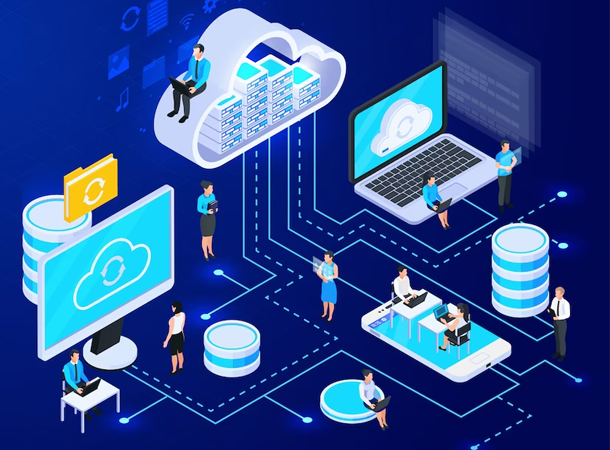
                            • Enterprise data backup and disaster recovery solutions.

                              Enterprise data backup and disaster recovery solutions.

                              In today’s IT-driven world, data is one of the most important assets of any enterprise. From understanding customer needs to determining how to optimize operations for maximum profitability, data plays a significant role in driving the success of any business.

                              As technology advances, cyberattacks continue to evolve and threaten data privacy, putting more businesses at risk globally. These cyberattacks affect the reputation of businesses and inflict monetary damages. Besides cyberattacks, there are several scenarios that can cause data loss in an enterprise, such as accidental deletions, storage failures, and system outages.

                              Businesses must put in place an effective risk management strategy that enables them to back up data and recover from disasters such as cyberattacks, natural disasters, accidental deletions, system outages, and other scenarios that lead to data destruction. Hence the need for enterprise data backup and disaster recovery solutions.

                              What are Enterprise Data Backup Solutions?

                              Enterprise data backup refers to the transfer of business data from a primary storage location to a secondary storage location so as to ensure that it can be easily recovered in the event of a data loss or exfiltration.

                              Data backup solutions refer to the software or hardware tools that data can be stored on to protect and secure it against any destructive event.

                              What is Enterprise Disaster Recovery Solution?

                              Enterprise disaster recovery refers to the process of maintaining business continuity amid disaster or interruption in operation. Enterprise disaster recovery solutions are those tools (software and hardware) and policies that enable businesses to recover quickly from a disaster or interruption and continue to operate normally.

                              Disaster recovery solutions help enterprises restore data and business operations when a disaster occurs, such as a software or hardware failure, accidental data loss, natural disaster, or ransomware attack.

                              Why Data Backup and Disaster Recovery are Important for Businesses?

                              Businesses today rely heavily on data for the successful execution of their daily operations. This data can be in documents, files, folders, and servers and can be lost or manipulated in the event of a disaster.

                              Data backup and disaster recovery help businesses in many ways when an unexpected situation that can potentially disrupt or destroy operations occurs.

                              1. Prevents financial loss

                              When business operations stop due to a disaster, companies lose money and possibly face financial penalties. Also, customers may turn to their competitors and continue to transact with them, leading to the compromise of business relationships.

                              Data backup and disaster recovery solutions ensure that business continues to function even amid tough times, thus preventing financial loss.

                                2. Protects reputation

                                Enterprises that cease to function due to a disaster are often seen as unreliable. As a result, partners, investors, and customers may feel reluctant to do business with them due to their stained reputation. Data backup and disaster recovery ensure that business reputation is preserved, regardless of the circumstances.

                                  3. Improves security

                                  Ransomware, malware, and other security risks can be greatly reduced with an effective backup and recovery process. So even if cybercriminals steal vital information from a company’s database or erase them, they can be easily recovered to continue business operations.

                                  The Challenges of Data Backup & Disaster Recovery

                                  When enterprises design data backup and disaster recovery plans, they experience a few challenges, which are:

                                  1. Ensuring reliably scheduled backups

                                  What is the ideal backup frequency? Do backups occur as scheduled? Businesses must ensure their data backup services are reliable and that they occur at the right times.

                                  2. Preventing missing and corrupted data

                                  Sometimes files become corrupted, and critical data get missing after a backup. Organizations must verify that backups are done successfully and that files aren’t corrupted or missing in the process.

                                  3. Aligning data backup needs with application architecture requirements

                                  There are different ways of backing up data and choosing the right one can be challenging, especially when there are many factors to consider. The ideal backup architecture will offer the best protection against data loss or file corruption, thus putting one’s mind at rest.

                                  4. Accurately prioritizing data

                                  Not all data on the server have equal priority. Crucial data must be backed up first before less important ones to ensure the best result. Also, frequently changing data should be backed up more regularly than those that remain the same for a long time.

                                  What does 3-2-1 means for Backup and Recovery Planning?

                                  3-2-1 in backup and recovery planning refers to a backup practice where businesses have three copies of their data. Two copies are stored locally and on different storage media, while one copy is stored off-site. This technique offers the best protection against an unexpected disaster that leads to data loss or manipulation.

                                  Often, the off-site copy is stored in the cloud for maximum protection, while the on-site storage is done on two separate media; primary and secondary media.

                                  Keys To Success in an Enterprise Backup Strategy

                                    To develop a successful enterprise backup strategy, the following must be considered:

                                    1. Ability to efficiently back up data within a specific operating window.

                                    2. Ability to recover data quickly since this helps to minimize downtime after a disaster

                                    3. Reliability and scalability so that expanding business needs are met easily

                                    4. Affordability

                                    Conclusion

                                    Every enterprise must have an effective data backup and disaster recovery solution to ensure continuous operation regardless of the challenges. Such legacy helps to build a strong reputation and wins new businesses, thus increasing profitability and reducing financial losses.

                                    Written by – Mr. Adam Pittman

                                  • Basic Of Network monitoring

                                    Basic Of Network monitoring

                                    Every IT infrastructure comprises software and hardware components that work hand in hand to form a network that delivers a desired service. To ensure the infrastructure’s performance is optimized at all times, this network must be monitored proactively.

                                    Potential network issues must be detected and fixed ahead of time to avoid data sharing failure or other network-related issues, hence the need for network monitoring services.

                                    What is Network Monitoring?

                                    Network monitoring refers to the process of monitoring all the components of a computer network to ensure optimal performance and availability. Typical examples of network components are routers, switches, servers, modems, bridges, firewalls, and VMs.

                                    Network monitoring services are services geared towards network monitoring so that computer network problems are avoided, and performance is optimized. It typically requires using hardware and software monitoring systems to track network operations, such as traffic and bandwidth utilization.

                                    Network Monitoring Services Benefits

                                    Network monitoring services offer tremendous benefits for computer networks, such as:

                                    Clear visibility into the network

                                    Network administrators allow organizations to clearly see all the devices connected in their network and the traffic traveling through them. This helps to ensure that each device is used within its limits to avoid device or system breakdown, which may result in extra costs of repair.

                                      Increasing Complexity

                                      From communication to data sharing, businesses today have become largely dependent on the internet. Certain services like SaaS, ISPs, CDNs, UCaaS, VPNs and many upcoming ones depend primarily on the internet, thus increasing network complexity.

                                      Increased network complexity makes the IT infrastructure prone to poor performance. However, with network performance monitoring, each component will be adequately monitored and optimized so that the entire system performs.

                                        Better Use of IT Resources

                                        Building a highly productive enterprise requires maximum use of all resources, including IT resources. Proper network management allows businesses to derive more benefits from IT and reduce manual work where necessary, helping employees focus more and perform better.

                                        Early Insight into Future Infrastructure Needs

                                        Using data gathered from network components’ performances from the past and present, administrators can predict future infrastructure needs and fulfill them. Network monitoring solutions can as well be provided for possible future network challenges based on deductions from the analyzed performance data.

                                        Ability To Identify Security Threats Faster

                                        Any threat to the network is a threat to the entire IT infrastructure because the network is the lifeline of every IT infrastructure. Proper monitoring helps to identify security threats earlier so that enterprises can take timely action to halt the attacks and prevent the loss of sensitive data.

                                        Protocols for Network Monitoring

                                        SNMP

                                        The Simple Network Management Protocol (SNMP) is an application-layer protocol that’s widely used for maintaining network elements by monitoring system status and configuration. It deploys a call-and-response system to exchange and extract management data which is then used to determine the status of devices, such as modems, printers, switches, etc.

                                        ICMP

                                        Internet Control Message Protocol (ICMP) focuses on error reporting when devices fail to transfer data successfully. Routers, servers, and several other network devices rely on this protocol to report errors and device failures.

                                        Cisco Discovery Protocols

                                        The Cisco Discovery Protocol works specifically for Cisco devices and is a Layer 2 proprietary protocol. Cisco devices (including switches, routers, and modems) have Cisco default-enabled on them and operate on LAW and WAN media, thus making them easily manageable with this protocol. Network monitors use Cisco to discover Cisco devices and monitor their efficiency in the network.

                                        ThousandEyes Synthet ICS

                                        ThousandEyes Synthetics refers to an internet-aware synthetic monitoring that mirrors the path users take when interacting with a network component such as an application. This enables the proactive detection of potential network issues and the provision of solutions to counter them.

                                        How To Perform Network Monitoring Effectively?

                                        Effective network monitoring involves cutting off redundant loads and tasks so that the system focuses on delivering quality services. It helps to ensure that an organization’s IT infrastructure performs well so that users can comfortably rely on the system.

                                        To perform network monitoring effectively, one must:

                                        Monitor only the essentials – not all devices require round-the-clock monitoring. Essentials like servers, routers, and switches should get more attention than less crucial ones like printers.

                                        Optimize the monitoring interval – choose the right interval for which each device should be monitored to get the best results.

                                        Choose the right protocol – each protocol has its strengths and limitations, but you want to choose a secure and non-bandwidth-consuming network management protocol to avoid interrupting network performance.

                                        Set thresholds – this helps you take a proactive approach to network issues so that you won’t have to wait until users report network failure before detecting something wrong.

                                        Factors to Consider While Monitoring The Network

                                        Flexibility

                                        Flexibility in network monitoring enables administrators to visualize important network metrics from any component or device at a glance.

                                        High availability

                                        The right network monitoring tool for a network should be highly available to report any irregularities or issues. You don’t want to deploy a monitoring tool that will often, as this can leave your network unmonitored for a long time.

                                        Scalability

                                        As business demands increase, monitoring needs may rise. Your ideal monitoring tool should be scalable so that it extends its scope of monitoring without breaking down.

                                        Security

                                        Monitoring your network should enforce your cybersecurity and reduce the risks of attacks. You should consider monitoring tools that enhance security and do not create loopholes through which malicious actors can penetrate.

                                        Multi-vendor compatibility

                                        Network monitoring tools should be compatible with multiple vendors for effective performance as today’s network environment are more hybrid.

                                        How To Choose a Network Monitoring Solution?

                                        There are different ways of monitoring a network, and choosing the right monitoring solution means a better-performing network and greater ROI for your business.

                                        Automated solutions are the best for network monitoring, and they come in different types. To choose the right network monitoring solution, consider the following:

                                        • Advanced reporting
                                        • In-depth visualization
                                        • Automatic device configuration
                                        • Performance monitoring
                                        • Quicker fault resolution

                                        Conclusion

                                        With proper network monitoring, your IT infrastructure will deliver seamless service with little to no downtime, helping you build a reputation for reliability and excellent service. By choosing the right tool to monitor your network, you can rest assured that your devices are in safe hands and will deliver optimal performance at all times.

                                        Written by – Mr. Adam Pittman

                                      • The Carying Place – Support Local Families In the NC Triangle This Season

                                        The Carying Place – Support Local Families In the NC Triangle This Season

                                        The Carying Place is a non-profit organization that focuses on providing charity for homeless persons and supporting individuals and families in the NC Triangle. Besides providing material support, they empower homeless families with life skills and financial literacy that help them improve their financial situation and provide for themselves, thus living independently.

                                        What Exactly Does “The Carying Place” Do?

                                        Charity for the homeless

                                        The Carying Place provide charity for homeless, working families with children in the NC Triangle, which entails:

                                        • A furnished temporary apartment
                                        • Rent and utilities
                                        • Support partners who enlighten families on basic skills such as balancing a checkbook, creating and following a budget, starting a savings program, etc.
                                        • Children’s program to determine and cater to the needs of each child

                                        Supporting individuals and families

                                        The Carying Place supports motivated individuals and families by providing opportunities for personal growth and development within a 16-week period. Individuals and families will acquire skills that will improve their chances of getting better employment opportunities and raise their standard of living.

                                        Endowment

                                        Their endowment program helps us raise funds for all our expenses and support services, such as temporary housing, utility bills, events, and training, etc. With the endowment program, they can preserve important assets, gradually increase the number of families we help, and continue to impact lives positively. Kindly click here to donate to our program.

                                        Events & Empower

                                        They feature a series of events designed to empower homeless families and elevate their financial situation within a short period. These programs help individuals and families learn important skills that make them become self-sufficient in life.

                                        “The Carying Place” – Mission, Impact, and Outcome

                                        Mission

                                        The mission is to help homeless, working families with children live a beautiful life again by equipping them with important life skills and financial literacy within a short period. By providing temporary accommodation for each family and catering to their basic needs for the period they are enrolled in the program.

                                        Impact

                                        They have impacted more than 500 families and taken them from homelessness to self-sufficiency across our 29 years of existence. Teaching life skills at our regular meetings and events and enhanced their financial literacy, thus making them capable of running and maintaining a good life.

                                        Outcome

                                        The Carying Place has an impressive 80% success rate, saved an average of $3-5k, and helped over 500 families, including 860+ children. Our charity organization has supported individuals and families interested in becoming self-sufficient and elevating their standard of living through impacting beneficial knowledge.

                                        Help Our Homeless Working Families With Children

                                        From voluntary participation to financial donations, we need every support we can get to help homeless, working families live a normal life again. You can donate to this praiseworthy course by clicking here.

                                        Awards, Recognition & Memberships

                                        Awards, recognition, and memberships include:

                                        • Charitable Partner Award – The Cary Chamber of Commerce – 2009, 2013 , 2018 & 2022 
                                        • Participation in Business Networking International – Profits in the Park Chapter
                                        • Member of Morrisville Chamber of Commerce
                                        • Participation in Women In Networking – Cary Chapter
                                        • National Association of Nonprofit Organizations and Executives (NANOE)

                                        Conclusion

                                        Computerbilities is a proud supporter of Carying Place, a Cary, North Carolina-based charity organization supporting homeless individuals and families in the North Carolina Triangle area. We are delighted about all the good work they have done over the years and look forward to seeing more exceptional charity work.

                                        Want to help us impact more lives? Your donation will be highly appreciated. Kindly click here to donate now.

                                      • 3 of the Best Communication Tools For Construction Companies

                                        3 of the Best Communication Tools For Construction Companies

                                        Clear and effective communication is critical to any construction project, as it enables every aspect of the project to be executed as designed. Construction companies must incorporate IT Support to enhance communication before and during project execution to minimize misunderstandings, leading to delays. IT Support for construction companies comes in different ways, one of which is through the provision of tools that ensure clear communication at every level.

                                        Why do Construction Companies need communication tools?

                                        IT Services are impacting the construction industry and enhancing productivity exponentially. However, construction companies need Managed IT Services to prevent system and network downtime and provide a timely solution to unavoidable IT-related challenges, thus enabling the construction team to focus on project operations.

                                        Some core benefits of communication tools for construction companies include:

                                        • Improving teamwork
                                        • Guarantees timely project completion
                                        • Minimizes the wastage of resources
                                        • Ensures job satisfaction
                                        • Boosts productivity and engagement

                                        Actual Communicating Tools A Construction Company Require

                                        1. Microsoft Teams

                                        Microsoft share point and office 365 are two highly essential software from the Microsoft collection which help construction workers to:

                                        • chat
                                        • share files from anywhere
                                        • manage documents
                                        • assign tasks,
                                        • and implement QHSE (Quality Health Safety & Environment) guidelines to ensure workers’ safety in the field.

                                        2. Slack

                                        The second communication tool construction companies should have in their arsenal is Slack, an essential tool for effective teamwork. Slack helps contractors and workers stay in sync regardless of their distance apart and keeps information clear so that no detail is left out. From file sharing to project monitoring, Slack is an indispensable tool for seamless team collaboration and ensuring the success of any construction project.

                                        3. 3CX- VOIP phone system

                                        The third essential communication tool for construction companies is 3CX, a simple yet powerful communication system packed with tons of helpful features. 3CX is a VOIP phone service that allows you to integrate different mobile and computer devices, thus enabling free calls, web conferencing, viewing workers’ reports, and many more.

                                        Beyond the construction industry, 3CX VOIP phone service can also help small and medium businesses significantly cut communication costs by over 80% with its free inter-office and branch calls feature. Regardless of the device, 3CX can easily connect to regular phones, desk phones, cell phones, computers, and laptops, which is why it’s an indispensable communication tool that saves costs and boosts productivity across various industries.

                                        Conclusion

                                        Communication is the backbone of every construction project, and it determines the quality of its outcome. With effective communication, every team member understands their roles and has the same endpoint in mind, thus helping the project progress much faster. By incorporating the right communication tools in your company, team collaboration will be a breeze, and every member will be on the same page at all times.

                                      • 3 Red Flags of Facebook Marketplace That Are Sure Signs of a Zelle Scam

                                        3 Red Flags of Facebook Marketplace That Are Sure Signs of a Zelle Scam

                                        Cash is out, and digital currency is in

                                        Transferring money digitally is now the normal thing to do. Venmo, Zelle, Cashapp, and Paypal are a few of the most popular ways that make sending money fast, effortless, and accessible.

                                        Our most popular blog post ever shared a common PayPal scam and warned about 3 things to watch out for before you purchase or sell online! Now we will talk about selling online and the new Zelle scam that’s been tricking consumers right and left.

                                        Facebook has made its Marketplace convenient, easy, and safe! You can sell used items and services at the touch of a button without the hassle of setting up your own website or eCommerce platform. Facebook Marketplace has many advantages, but just like anything good in life, there are also disadvantages. Scams are a major one!

                                        Don’t- Sell Online If They Do One of the following three things because it’s a surefire sign that a potential buyer is trying to scam you.

                                        1. They want to avoid paying through Facebook and ask for personal information such as routing number, account number or address.  
                                        2. They are too eager to buy, don’t try to negotiate the price, and/or they will not be picking up the items themselves.
                                        3. You look at their Facebook profile, and they are nowhere near your location; they use bad grammar, or if they start calling you Facebook (yes, that happens)!

                                        Real Life Breakdown of a Zelle Facebook Marketplace Scam

                                        This screenshot shows the breakdown of a real email of this common scam utilizing the platform scam Zelle. There’s a few obvious red flags!

                                        • The buyer agreed to pay $70.00 for no negotiation.

                                        The buyer wanted to buy it but said her brother would pick it up and ship it there, but the item was rather large. 

                                        The seller received this email after giving the scammer their email information. If you notice, the From email address is from a Gmail account, and the text size is inconsistent, which is pretty obvious.

                                        They are asking the seller to send an additional $300 for the funds to be “released” and changed to a business account. Thankfully the seller knew the warning signs and immediately reported them and blocked the buyer on Facebook Marketplace.

                                        The scammers may have stollen this email template from a real email that  Zelle uses, making it very likely that a consumer could easily fall victim to this scam. Scammers are experts at tricking people, so always check the three warning signs listed mentioned in this article before selling anything online.

                                        Have You Been Compromised, or have any questions about Facebook Marketplace scams? Contact Computerbilities For A Free, No Obligation Dark Web Scan!

                                        https://www.computerbilities.com/dark-web-scan